Connect-Lite
20% off for 3 months, 60% off for yearly
$10/month
Connect-Lite plan includes
- Core Features
- 1x Onsite Inspection
- 1x Remote Inspection
- Extra onsite inspection +$0.99
- Extra remote inspection + $10
20% off for 3 months, 60% off for yearly
20% off for 3 months, 60% off for yearly
20% off for 3 months, 60% off for yearly
When setting up your account, choose when and how you and your tenants receive notifications: email, text or push. Add and configure your properties, and add tenants to each property.
Schedule upcoming inspections using the easy date, time and time zone selector. Landlords and tenants are reminded when an inspection is coming up. Choose from Moving In, Moving Out or Ongoing inspections.
After each moving-in inspection, tenants have 7 days to review the inspection and add comments to features. Notifications remind them of this period and landlords are notified when comments are added.
Screen mirroring allows complete transparency during your remote inspection. Your tenant sees exactly what you're seeing in real-time, building trust and ensuring both parties are fully engaged in the property assessment process.
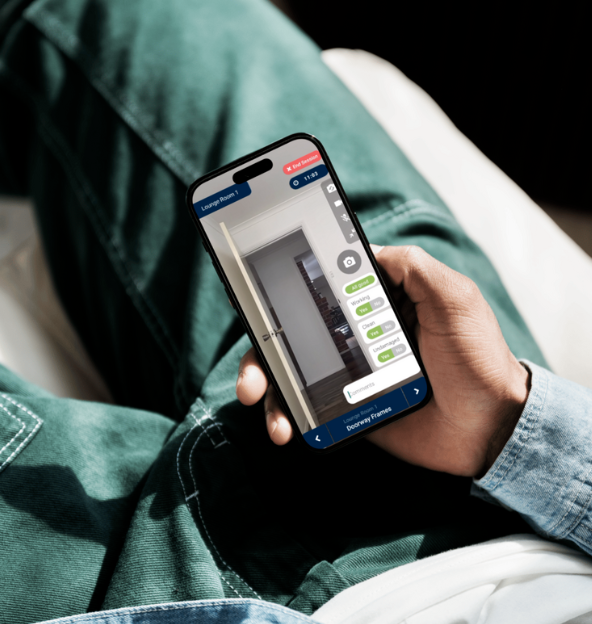
Record property conditions as per your unique property set-up. Make comments and take photos against a specific property feature. Receive pop-up alerts when inspecting a feature that had an issue before.
Our robust and secure servers have been rigorously tested so all your inspection and property information stays safe online - ready for you to view at anytime.
The app automatically generates a downloadable PDF condition report after finalizing the inspection, and emails it to you and your tenant. Hi-res photos and comments can be viewed in the report.
The details of all previous inspections are automatically and securely stored within the app and can be viewed anytime by the landlord or tenant.
Tenant Connect is a mobile app that allows Property Managers and Landlords to conduct onsite and remote property inspections using HD video.
Both onsite and remote inspections within Tenant Connect follow the exact same structured process and utilize the same features in the app to ensure thoroughness and consistency. The key difference lies in who is physically present at the property:
Onsite Inspection: The inspection is conducted solely by the property manager or landlord, who is physically at the property and using their phone's camera to capture photos and document the condition of each feature. The tenant may or may not be present during the onsite inspection - that part is up to you.
Remote Inspection: The inspection is conducted remotely. The tenant is at the property and uses their smartphone to transmit live HD video and audio to the property manager or landlord, who can be located anywhere. The tenant is directed to show each room and feature, and photos are captured from the live HD video stream, not a screenshot, to document its condition.
Tenant Connect makes it easy with our remote inspection feature. Here's how it works:
Remote inspections with Tenant Connect provide a transparent, efficient, and convenient way to stay on top of a property's condition, no matter where the property manager or tenant are located.
For both Onsite and Remote Inspections, it is the property manager who performs the inspection.
Even though the HD video is transmitted from the tenant's phone to the property manager during a remote HD video inspection, it is the property manager who is responsible for determining the condition of a feature within the property, which is done by tapping "Yes" or "No" against the questions "Is it Working?", "Is it Clean?", "Is it Undamaged?"
Yes, Tenant Connect allows you to manage multiple properties, with each property's data stored separately. There is no limit to how many properties you can manage in Tenant Connect.
Yes, Tenant Connect generates detailed PDF reports of your inspections, which can be shared or stored securely. After the inspection data is "Submitted" at the end of your inspection, tap the "Finalize" button and this automatically generates the PDF report, which is emailed straight to the property manager and tenant.